Step 1
Choose Your Mode and Model
Select the generation mode that fits your project, then choose your preferred Wan model.
Turn text, images, and references into polished videos with Wan 3.0’s latest AI video generation model.
Model
First frame · Required
Last frame · Optional
0 / 20,000
Aspect ratio
Resolution
Duration
5 secondsSign in to create
Output Preview
Ready to generate
Wan 3.0 is available to generate now. Create longer, more directed clips here, or keep using Wan 2.7 for everyday production. For a deeper editorial assessment, read the Wan 3.0 review.
Step 1
Select the generation mode that fits your project, then choose your preferred Wan model.
Step 2
Upload an image or reference if needed, enter your prompt, and set the aspect ratio, resolution, duration, and other options.
Step 3
Generate your video with Wan 3.0, preview the result, and download it when you're ready.
Generate at 480p, 720p, or 1080p depending on your delivery needs.
Wan 3.0 is designed to improve consistency across multiple subjects, helping maintain face, clothing, and identity throughout a video sequence.
Turn detailed English or Chinese prompts into cinematic AI video with Wan 3.0.
Animate a first frame—and optionally a last frame—into a coherent video clip.
Guide generation with reference images, video, audio, documents, or a public webpage.
Explore videos created with Wan AI models, including Wan 2.7, and see what’s possible with text, image, and reference-based generation. Use these examples as inspiration for your Wan3.0 creations.
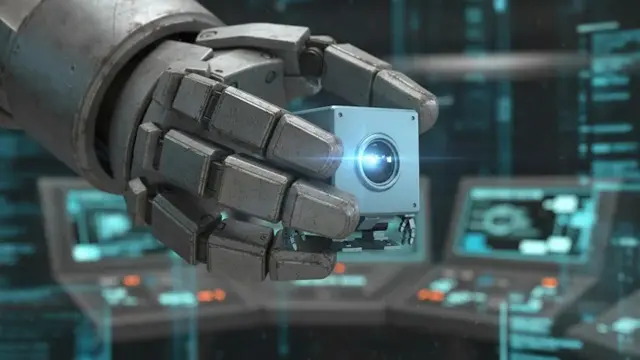
Text to Video · Wan3.0
A chrome robot travels through a luminous futuristic city of liquid-metal architecture beneath a giant alien planet, low forward tracking shot across reflective water, bright blue daylight, rainbow lens flares, surreal cinematic science-fiction style
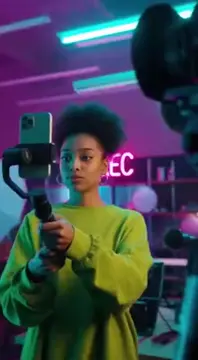
Brand / Advertising · Wan3.0
A young creator with clear-frame glasses adjusts a tablet mounted beside a microphone and camera in a teal-lit home studio, handheld behind-the-scenes shot, focused expression, shallow depth of field, modern creator workspace
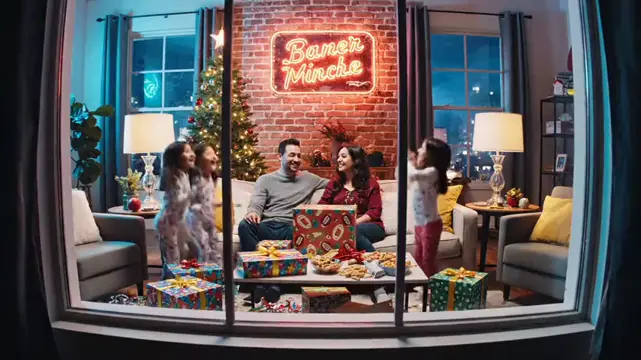
Cinematic · Wan3.0
A modern gray warship cuts through towering waves in a dark stormy ocean, aerial three-quarter tracking shot, white spray crashing over the bow, heavy clouds and distant lightning, high-contrast cinematic naval action style

Anime Style · Wan 2.7
An anime girl stands on a rooftop at sunset as the wind moves her hair and clothing, slow camera pan across the skyline, warm orange light, cinematic anime style

Architecture · Wan 2.7
A modern glass skyscraper rises against an overcast sky, vertical drone shot orbiting the reflective facade, city architecture, clean cinematic visualization

Nature / Landscape · Wan 2.7
A misty forest waterfall pours over moss-covered rocks, slow downward camera tilt through morning fog, soft natural light, tranquil cinematic landscape
Wan 3.0 is live for the latest workflows. Wan 2.7 remains available for everyday video creation. To compare current credit packs and usage costs, visit the pricing page.
Latest · Recommended
Text-to-Video · Image-to-Video · Reference-to-Video · More generation control
Use Wan 3.0Free to Try
1080p · T2V + I2V · Enhanced motion consistency · Multi-shot
Try Wan 2.7 FreeStable
1080p · T2V + I2V · Style prompts
Use Wan 2.6Stable
1080p · T2V + I2V · Fast generation
Use Wan 2.5Here is the product-positioning view: where Wan 3.0 leads today, where Wan 2.7 stands for everyday use, and how the field compares for the best AI video generator 2026 conversation.
| Feature | Wan 3.0 | Wan 2.7 | Sora | Runway Gen-3 | Kling |
|---|---|---|---|---|---|
| Max resolution | 1080p | 1080p | 1080p | 1080p | 1080p |
| Text-to-Video | ✓ | ✓ | ✓ | ✓ | ✓ |
| Image-to-Video | ✓ | ✓ | Limited | ✓ | ✓ |
| Multi-subject consistency | ✓ Dedicated | Partial | Partial | Partial | Partial |
| Camera motion control | Full | Partial | Limited | Limited | Limited |
| Chinese prompt support | ✓ Optimized | ✓ | Limited | Limited | ✓ |
| Generation API | Live ✓ | Beta | Limited | ✓ | Limited |
| Audio sync | ✓ | — | — | — | — |
| Free access | No | ✓ | No | Limited | ✓ |
| Status | Now Live ✓ | Live ✓ | Live | Live | Live |
* Comparison based on publicly visible product positioning and currently available information. Subject to change.
Quick answers about Wan 3.0 features, pricing, prompts, and Wan3.0 video generation workflows.
Wan 3.0 is the latest Wan AI video model available on this site. The Wan3.0 AI Video Generator supports text-to-video, image-to-video, and reference-to-video generation with up to 1080p output.
Yes. Wan 3.0 is available now for text-to-video, image-to-video, and reference-to-video generation. Wan 2.7 remains available for everyday video creation.
Wan 3.0 generation uses credits on this site. If you want to try Wan video generation for free, Wan 2.7 is also available.
Wan 3.0 adds reference-to-video alongside text-to-video and image-to-video, with support for longer clips and stronger multi-subject consistency. Wan 2.7 remains a practical option for everyday 1080p video generation.
Watermark availability depends on your current plan and download options. Check your plan details before generating or using videos for commercial projects.
Wan 3.0 supports prompts in English and Chinese. For better results, describe the subject, action, environment, camera movement, lighting, and visual style.
Wan 3.0 generation is currently available through this site. Check the latest product updates for developer API and integration availability.
Commercial use depends on your plan and the current terms of service. Review the applicable terms before using Wan 3.0 videos in commercial projects.
Yes. Wan3.0 image-to-video lets you upload an image and turn it into video with guided subject motion, camera movement, and scene direction.
Yes. With Wan 3.0 text-to-video, you can describe a scene in natural language and generate a video based on your prompt. Wan3.0 works best when your prompt clearly describes the subject, action, setting, camera, and visual style.
Wan 3.0 reference-to-video lets you use reference media to guide subjects, visual details, and consistency across the generated video.
Choose Wan 3.0 for the latest generation workflows, including reference-to-video. Choose Wan 2.7 if you want a proven everyday workflow that is free to try.
Create text-to-video, image-to-video, and reference-to-video with Wan 3.0, or keep using Wan 2.7 for free everyday generation.