Prototype at Lower Resolution, Deliver at High Quality
Start with 720p or 1080p to test ideas quickly, then switch to higher-resolution output for final delivery. This improves iteration speed and reduces wasted credits.
✦ Wan 3.0 Guide · Now Live
Generate with Wan 3.0 Now — Step by Step
This guide walks through the Wan 3.0 workflow for text-to-video, image-to-video, and reference-to-video. Generation is live on this site.
Wan 3.0 brings major improvements to AI video generation, including higher-quality output, improved consistency, and advanced creative control. Follow the steps below to generate with Wan 3.0 now, or practice with Wan 2.7 if you prefer.
✓ How to set up your Wan account and prepare for Wan 3.0
✓ How to choose between Text-to-Video and Image-to-Video workflows
✓ How to write prompts for more consistent and controllable results
✓ How to configure output settings and prepare for higher-resolution video
✓ How Wan 3.0 improves camera motion control
✓ How real-time preview improves iteration workflows
✓ How to download, refine, and iterate on generated videos
✓ Advanced tips for better results: style, lighting, and multi-subject scenes
Wan 3.0 is available to generate now. You can also practice the same core steps with Wan 2.7, including prompt writing, input selection, and generation workflows. Camera control and real-time preview are part of the Wan 3.0 experience.
Step 1 of 5 · Time: 2 minutes
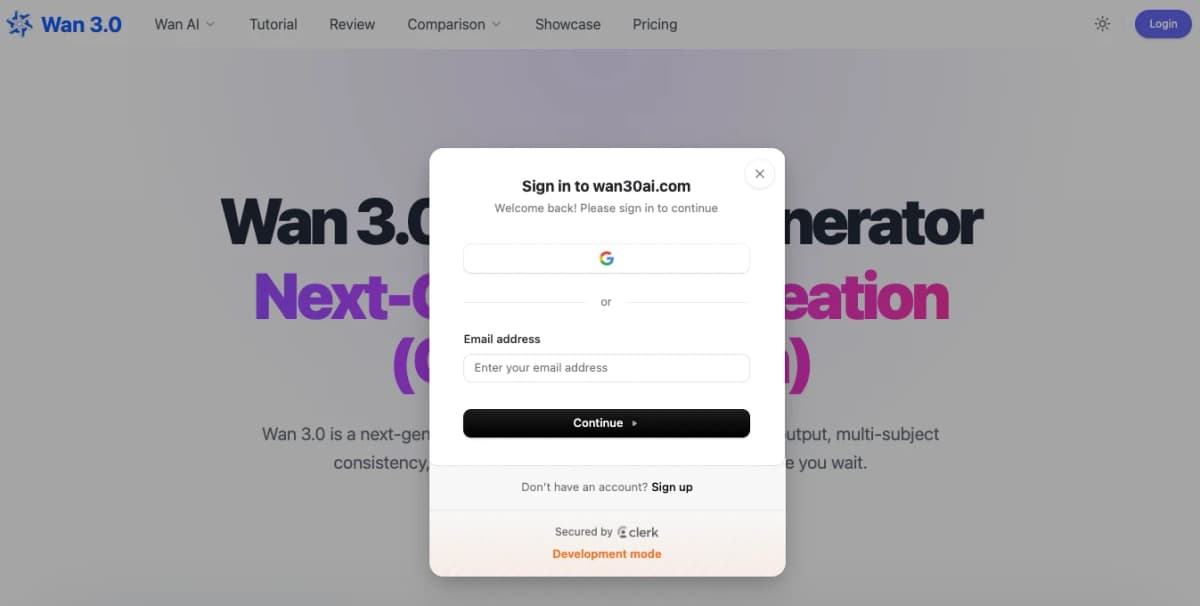
Start generating in minutes: create a free account, open the Wan 3.0 page, and choose the workflow that matches your project.
1. Create a free Wan account with email.
2. Open the Wan 3.0 generator at /wan-3.
3. Choose text-to-video, image-to-video, or reference-to-video.
4. Write your prompt, set duration and resolution, then generate.
Step 2 of 5 · Time: 30 seconds
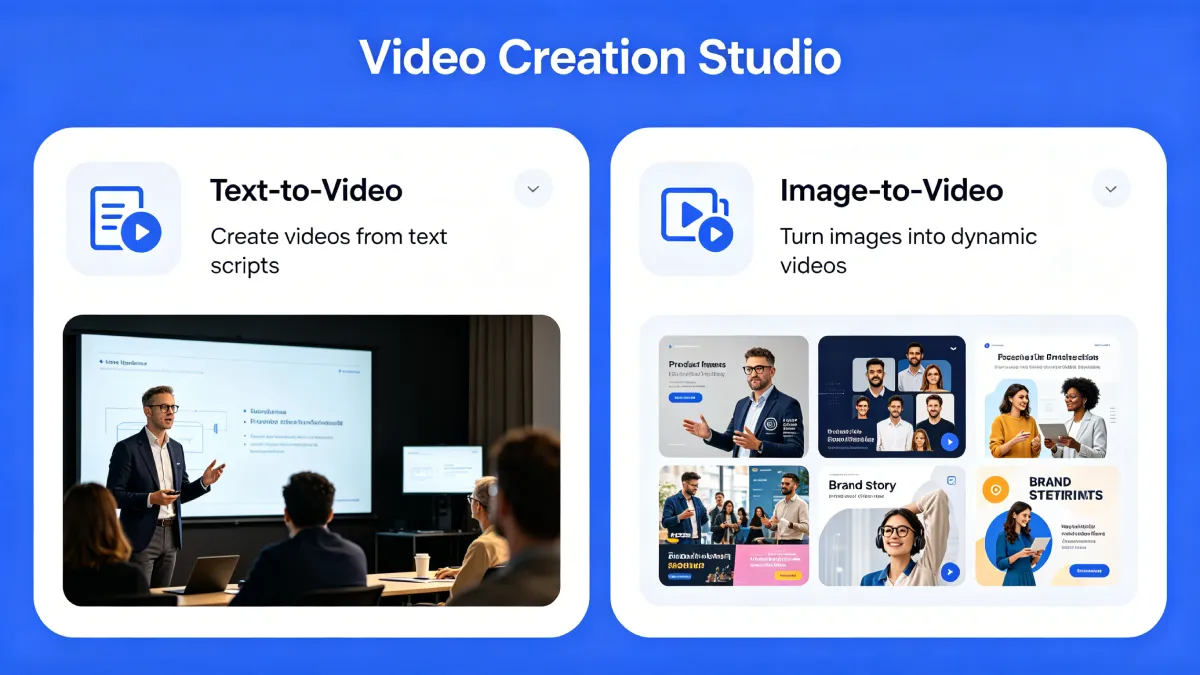
Choose Text-to-Video when the scene exists in your head but not yet in an image. Choose Image-to-Video when you already have a visual and want motion added while preserving composition.
Best for original scenes, cinematic ideas, world building, and character concepts.
Best for product photos, portraits, landscapes, and any still visual you want to animate.
A practical multi-shot workflow is to generate a T2V shot, capture a frame you like, and feed that frame into I2V for the next shot. This improves continuity across sequences.
Step 3 of 5 · Time: 2–5 minutes
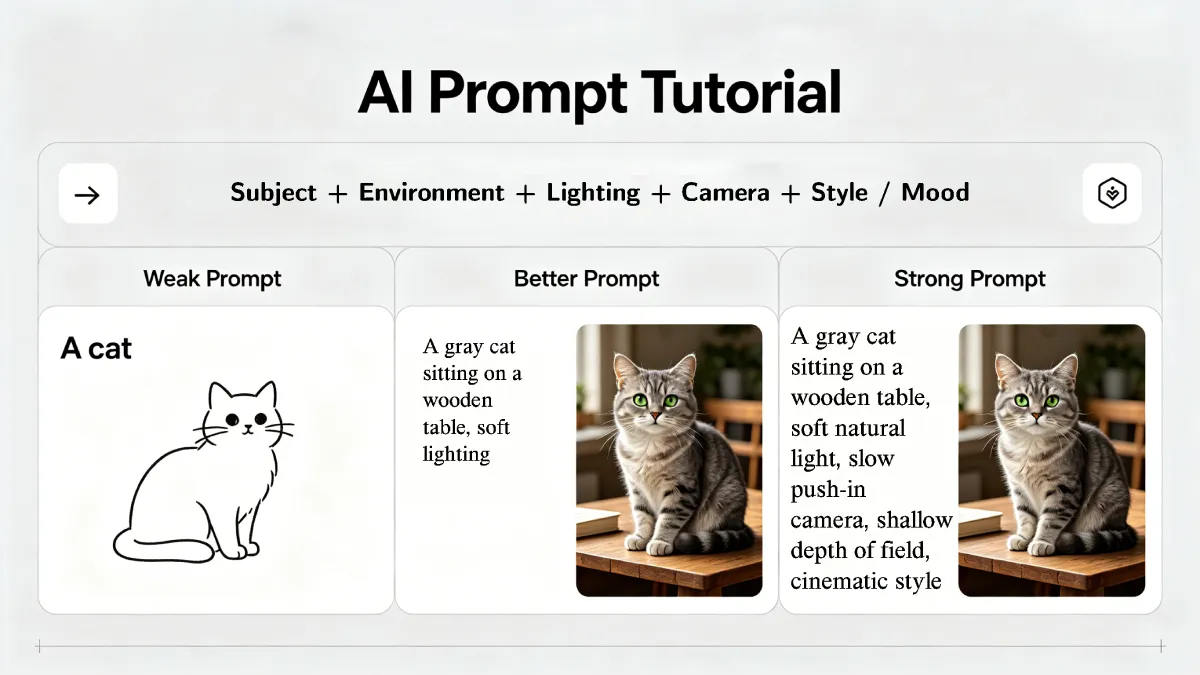
Strong output comes from specific prompts. The easiest structure to remember is: subject, environment, lighting, camera, style or mood.
Prompt formula
Subject + Environment + Lighting + Camera + Style / Mood
Weak prompt
A woman walking in a city.
Better prompt
A woman in a red coat walking down a rainy city street at night, slow tracking shot from the side, neon reflections in puddles, cinematic color grade.
Strong prompt
A woman in her 30s, dark curly hair, wearing a structured red wool coat, walking down a rain-slicked Tokyo side street at midnight, slow tracking shot from behind and slightly above, neon signs reflected in puddles, steam rising from a grate, warm shadows, Blade Runner 2049 color palette.
Step 4 of 5 · Time: 1 minute
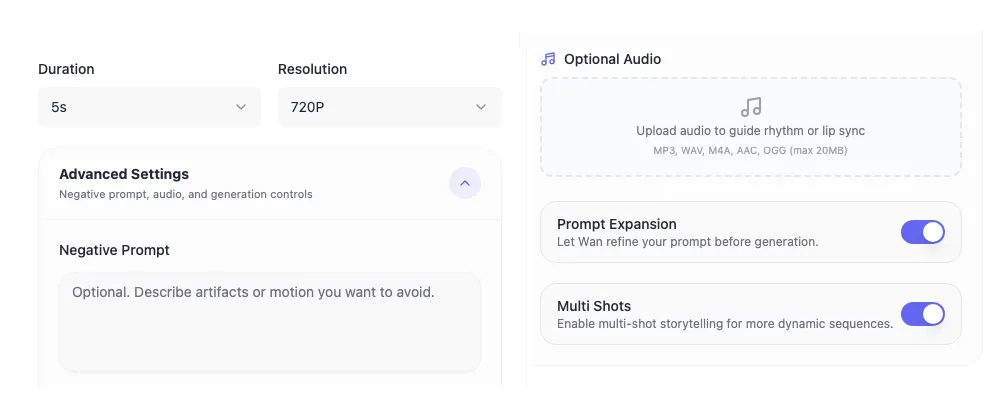
In Wan 2.7, the main setup happens in two layers. First choose the basic output settings: Duration and Resolution. Then open Advanced Settings to refine the generation with a negative prompt, optional audio, prompt expansion, and multi-shot controls.
| Setting | What to Use | When to Use It | Notes |
|---|---|---|---|
| Duration | 5s first | Early testing and quick iteration | Move to longer clips only after the motion direction is working. |
| Resolution | 720p first, then 1080p | 720p for testing, 1080p for cleaner delivery | Wan 2.7 currently exposes 720p and 1080p in the tool. |
| Negative Prompt | Optional | When you want to reduce artifacts or unwanted motion | Use it to exclude blur, distortion, extra limbs, or unstable motion. |
| Optional Audio | Upload only when needed | Rhythm guidance or lip sync scenarios | Supported formats shown in the tool: MP3, WAV, M4A, AAC, OGG. |
| Prompt Expansion | Usually on | When you want Wan to refine a rough prompt | Good default for short prompts; turn it off when your prompt is already very precise. |
| Multi Shots | Turn on selectively | Story-driven or sequence-based outputs | Useful when you want more dynamic multi-shot storytelling. |
A practical Wan 2.7 workflow is: start with 5 seconds at 720p, keep Prompt Expansion on, add a Negative Prompt only if artifacts appear, and use Optional Audio or Multi Shots only when the shot actually needs them.
Step 5 of 5 · Time: Generation time varies
Once your prompt and settings are ready, click Generate and wait for the render to complete. Review the result in the output panel before downloading.
1. Click the Generate button to start the task.
2. Review the finished clip in the output panel.
3. Download the video when the result matches your goal.
4. If needed, revise the prompt or settings and generate again.
You can practice this workflow today using Wan 2.7.
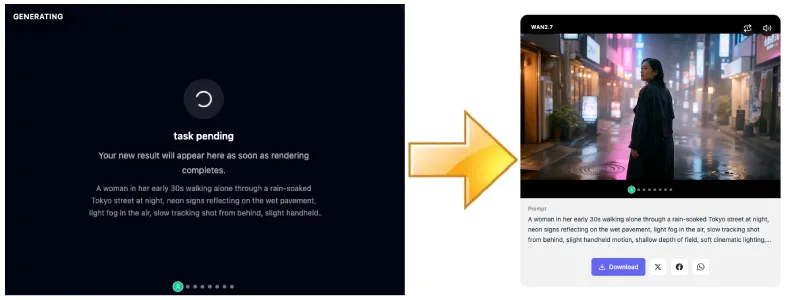
Start with 720p or 1080p to test ideas quickly, then switch to higher-resolution output for final delivery. This improves iteration speed and reduces wasted credits.
Describe each subject with clear physical details. Avoid vague group terms when character consistency matters across frames.
Define the camera movement first, then reinforce it with matching language in your prompt for more predictable results.
Explicit lighting descriptions often have a stronger impact on output quality than adding more abstract style keywords.
Exclude unwanted elements such as blur, low quality, text overlays, distorted faces, or extra limbs when advanced controls are available.
Adjust one element per generation. This makes it easier to understand what improves the result and build better prompts over time.
Wan 3.0 is the latest AI video model in the Wan series, with higher-quality output and more advanced controls. With more control comes more decisions, which is why understanding the workflow is key to getting strong results.
The core workflow remains familiar. Wan 3.0 extends it with reference-to-video, longer duration, camera motion control, and real-time preview as an active feedback loop during generation.
Common issues include starting at high resolution too early, writing vague prompts, skipping lighting details, and not reviewing intermediate results. The solution is structured iteration: test quickly, refine prompts, then move to higher-quality output once the direction is clear.
Use Wan 3.0 for longer clips and multimodal references. If you want a simpler 1080p path while learning prompt conventions, Wan 2.7 remains available on the same account.
Generate with Wan 3.0 →Open the Wan 3.0 generator, choose text-to-video, image-to-video, or reference-to-video, write your prompt, set output options, and generate. Wan 2.7 remains available if you prefer that workflow.
Use a structured approach: subject, environment, lighting, camera, and style or mood. Clear and specific prompts produce more consistent and controllable results.
Wan 3.0 generation uses credits on this site. Wan 2.7 offers a free tier, so you can start creating there if you prefer.
Real-time preview shows intermediate frames during generation, helping you identify issues early and iterate more efficiently.
Wan 3.0 supports 480p, 720p, and 1080p output. Test ideas at lower resolutions and use 1080p when you need more detail for final delivery.
Wan 3.0 adds reference-to-video, longer duration, stronger consistency, and real-time preview, while keeping the core prompt-and-generate workflow familiar.
Yes. Most of the workflow — including prompt writing, input selection, and iteration — can also be practiced with Wan 2.7.
Generate with Wan 3.0 now for the latest workflows. Use Wan 2.7 when you want a proven everyday option for free video generation.
Wan 3.0 is live. Generate text-to-video, image-to-video, and reference-to-video now.
Generate with Wan 3.0 Now →✓ Text, image, and reference-to-video
✓ Up to 1080p output
✓ Wan 2.7 still free to try
Wan 2.7 is live and available now. Same workflow, same prompt structure — no waiting required.
Generate Video →✓ Free tier — no credit card required
✓ 1080p Text-to-Video and Image-to-Video
✓ Seamless upgrade path to Wan 3.0